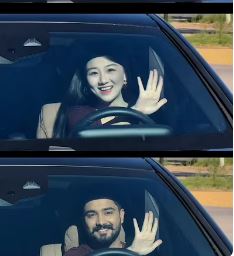
AI Prompt Used
Create an ultra-realistic REAL-WORLD CAMERA VIDEO, not an AI-looking or CGI-looking video. Use TWO uploaded references: REFERENCE VIDEO: This controls the exact car, car movement, camera movement, camera angle, framing, timing, scene transition, environment, lighting, actions and overall visual composition. CHARACTER IMAGE: This controls the exact identity and appearance of the person. The final result must look like an actual real camera recording of a real person inside a real physical Mercedes-Benz car. IMPORTANT — DO NOT GENERATE A 3D RENDER: The car must NOT look computer-generated, game-engine rendered, 3D modeled or digitally reconstructed. The person must NOT look AI-generated, plastic, overly smooth, beautified or digitally composited. Everything must have the small imperfections and optical characteristics of genuine real-world camera footage. REAL CAMERA LOOK: Use physically believable camera optics and real-world photography characteristics. Natural exposure. Natural dynamic range. Natural highlight roll-off. Realistic motion blur. Realistic shutter motion. Natural depth of field. Natural lens distortion. Natural focus transition. Realistic sensor noise/grain at a very subtle level. Natural skin texture. Natural micro-contrast. Realistic reflections. Realistic shadows. Realistic ambient light. Do NOT make the image excessively sharp, glossy, HDR, oversaturated or digitally perfect. Avoid the typical AI-generated “perfect image” appearance. REAL HUMAN: The uploaded person must look like a real human being physically present inside the car. Preserve the exact identity from the uploaded image: same face shape, same eyes, same eyebrows, same nose, same lips, same jawline, same skin tone, same hairstyle, same facial hair, same age, same natural facial proportions. Preserve realistic skin pores, tiny skin imperfections, natural facial asymmetry and realistic skin texture. Do not smooth the skin. Do not beautify. Do not reshape the jaw. Do not enlarge the eyes. Do not change the nose. Do not modify the lips. Do not make the face symmetrical. Do not make the person look like an AI model. The person’s face must remain stable throughout the entire video. REAL EYES AND FACE: Eyes must have realistic wetness, reflections and natural blinking. Facial expressions must be produced through subtle realistic facial muscle movement. No frozen expression. No rubber-like facial movement. No face warping. No identity drift. REAL HAIR: Individual hair strands should behave naturally. Hair must respond naturally to head movement and airflow. Do not create painted or plastic-looking hair. REAL HANDS: Hands must have physically correct anatomy. Five fingers on each hand. Natural finger joints. Natural skin texture. Realistic fingernails. Correct hand proportions. Natural wrist movement. No extra fingers. No fused fingers. No malformed palms. No disappearing fingers. REAL MERCEDES: The black Mercedes-Benz must look like an actual photographed physical vehicle. Preserve realistic: metallic black paint, clear-coat reflections, chrome grille, Mercedes emblem, LED headlights, windshield glass, side mirrors, body panels, panel gaps, rubber seals, tires, dashboard, steering wheel, leather seats, interior materials. The paint must reflect the real surrounding environment naturally. Do NOT make the bodywork look like a smooth CGI model. Do NOT create impossible reflections. The windshield must behave like real glass: realistic transparency, realistic reflections, subtle tint, correct refraction, natural highlights and glare. CAR MOVEMENT: Recreate the exact vehicle movement from the uploaded reference video. When the car approaches the camera, its apparent size must increase because of REAL PHYSICAL MOVEMENT through space — NOT because of a digital zoom. The grille, headlights, hood and windshield must naturally become larger in the frame as the vehicle approaches. Perspective must change naturally according to the changing distance between the real camera and the real car. Maintain realistic wheel/body motion and natural vehicle movement. Do not make the car slide. Do not make the car float. Do not make the car move like a 3D animation. CAMERA: Reproduce the reference video’s camera position and movement exactly. The camera must behave like a real handheld or mounted camera physically positioned in the real environment. Match: camera height, camera distance, lens perspective, field of view, framing, camera movement, camera speed, camera acceleration/deceleration, focus behavior, motion blur, and timing. Do not invent camera movements. Do not use artificial digital zoom to imitate physical camera movement. Do not orbit around the car unless the reference video does so. Do not create drone-like movement unless present in the reference. SCENE 1 — EXTERIOR: Recreate the opening exterior shot exactly from the reference video. The real black Mercedes approaches the camera. Maintain the same front-facing composition and camera position as the reference. As the vehicle comes closer, naturally reveal more detail in: grille, Mercedes emblem, headlights, hood, windshield and driver. The driver must remain physically inside the real vehicle. Realistic windshield reflections should partially interact with the driver’s face without completely hiding it. Maintain natural daylight and real environmental reflections. SCENE 2 — EXACT TRANSITION: At the same moment as the reference video, transition/cut to the interior shot. Do not invent a new transition. SCENE 3 — INTERIOR: Recreate the exact interior composition from the reference. The uploaded person sits naturally in the driver’s seat. Show the real steering wheel in the foreground. Show realistic dashboard materials and beige/cream leather interior. The person looks naturally toward the side, then toward the front/camera according to the reference. One hand remains naturally positioned on or around the steering wheel when appropriate. SCENE 4 — HUMAN MOVEMENT: Recreate the exact hand gesture, head movement, eye movement and smile from the reference video. Movement must be subtle and physically realistic. Natural blinking. Natural breathing. Natural shoulder movement. Natural head rotation. Natural facial muscle movement. SCENE 5 — FINAL EXPRESSION: Recreate the final expression and head position from the reference. The person gives a subtle natural smile. Do not exaggerate the expression. Keep the same face identity and realistic skin texture. LIGHTING: Match the real lighting conditions visible in the reference video. Use physically believable daylight. Light must naturally interact with: skin, hair, glass, metal, paint, chrome, dashboard, steering wheel and leather. Shadows must have realistic softness and direction. No artificial studio lighting. No excessive cinematic glow. No fake rim light. No neon lighting unless it exists in the reference. COLOR: Natural real-camera color science. Realistic skin tones. Realistic black car paint. Natural beige interior. Natural highlights and shadows. Avoid excessive saturation. Avoid excessive contrast. Avoid HDR appearance. Avoid Create a highly realistic 10-second cinematic video using the reference image/person as the exact identity reference.
IMPORTANT:
Preserve the person’s exact face, facial structure, skin tone, hairstyle, body proportions, outfit, and overall appearance throughout the entire video.
Do not change identity.
Use realistic human body-motion tracking and natural facial movement.
Maintain temporal consistency from frame to frame.
CAMERA / SCENE:
A young man is sitting naturally in the driver’s seat of a black luxury Mercedes sedan at night.
Camera is positioned outside/front of the car and gradually feels closer to the person through the windshield.
Interior is dimly lit with soft cool nighttime lighting.
The steering wheel remains visible in the foreground.
Realistic windshield reflections, subtle dashboard lighting, natural shadows and cinematic DSLR look.
No camera shake or unnatural warping.
BODY MOTION TRACKING – FOLLOW
THIS EXACT SEQUENCE:
0.0-1.2 seconds:
The person is seated naturally behind the steering wheel.
Upper body relaxed and centered.
Both shoulders remain stable.
He looks toward the camera with a calm expression.
Very subtle breathing movement in chest and shoulders.
Natural blinking.
Hands remain in a believable driving position.
1.2-2.5 seconds:
He begins moving his upper body slightly toward the camera.
His head moves naturally with the torso.
He starts smiling.
One hand gradually lifts away from the steering wheel.
Track the hand from shoulder → elbow → wrist → fingers with correct human joint movement.
No floating or disconnected fingers.
2.5-3.8 seconds:
He raises one hand beside his face and makes a casual two/three-finger gesture.
Elbow bends naturally.
Wrist rotates slightly.
Fingers move independently and realistically.
At the same time, he tilts his head slightly to one side.
His eyes remain directed toward the camera.
Expression becomes playful and confident.
3.8-5.2 seconds:
He lowers the raised hand slightly. His smile becomes wider.
Natural cheek movement and subtle eye squint.
Head returns partially toward center.
Shoulders and neck follow the head movement naturally.
Keep the steering wheel and car interior fixed in
Discover Superior Results With The Help Following Ai Option